

Follow these steps to secure your Helply account with Multi Factor Authentication. Let's look at the steps:
Step 1: Open Settings
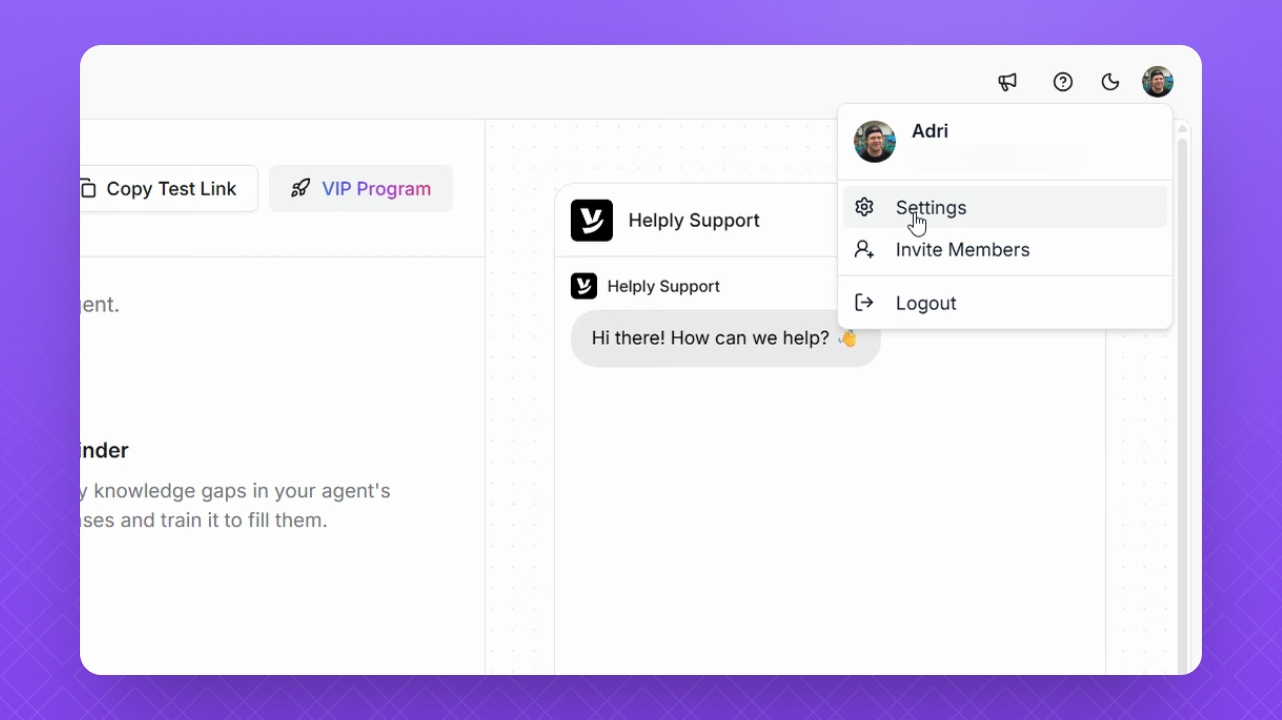
Click the profile icon in the top right corner, then select Settings.
Step 2: Start MFA Setup
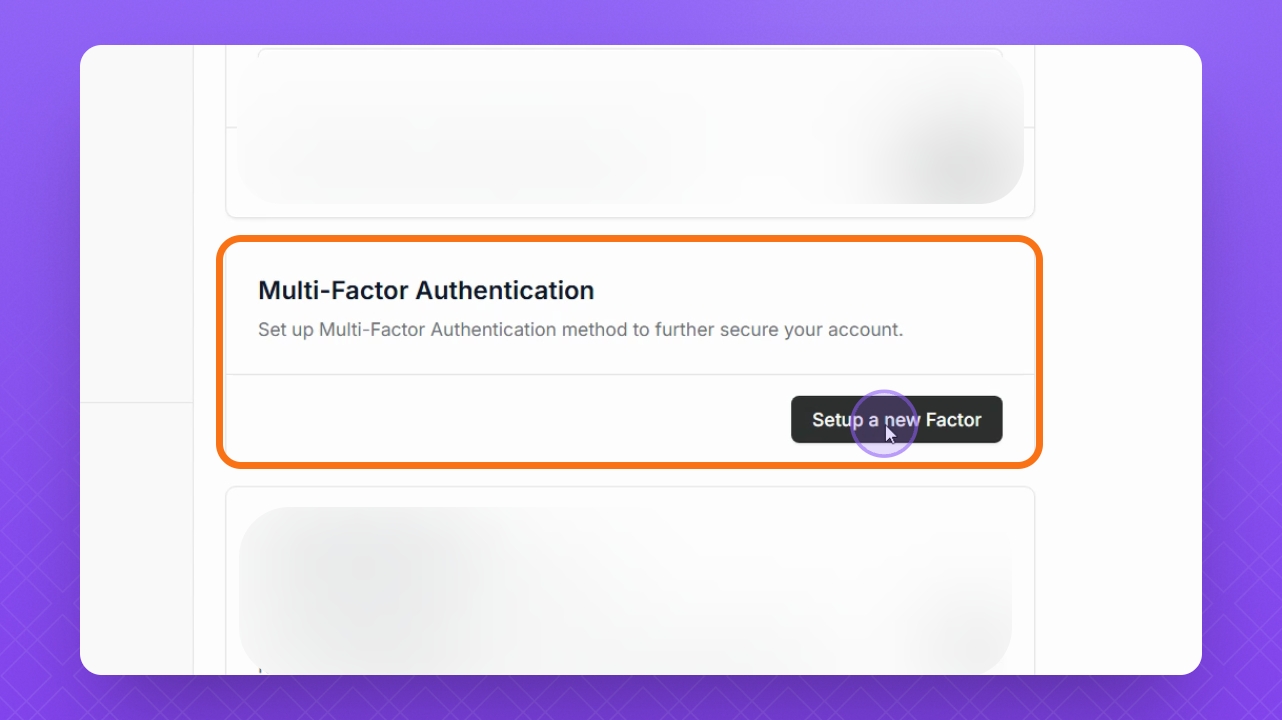
Scroll down in the Profile section and navigate to Multi-Factor Authentication, then select Set Up a New Factor.
Step 3: Name Your Device
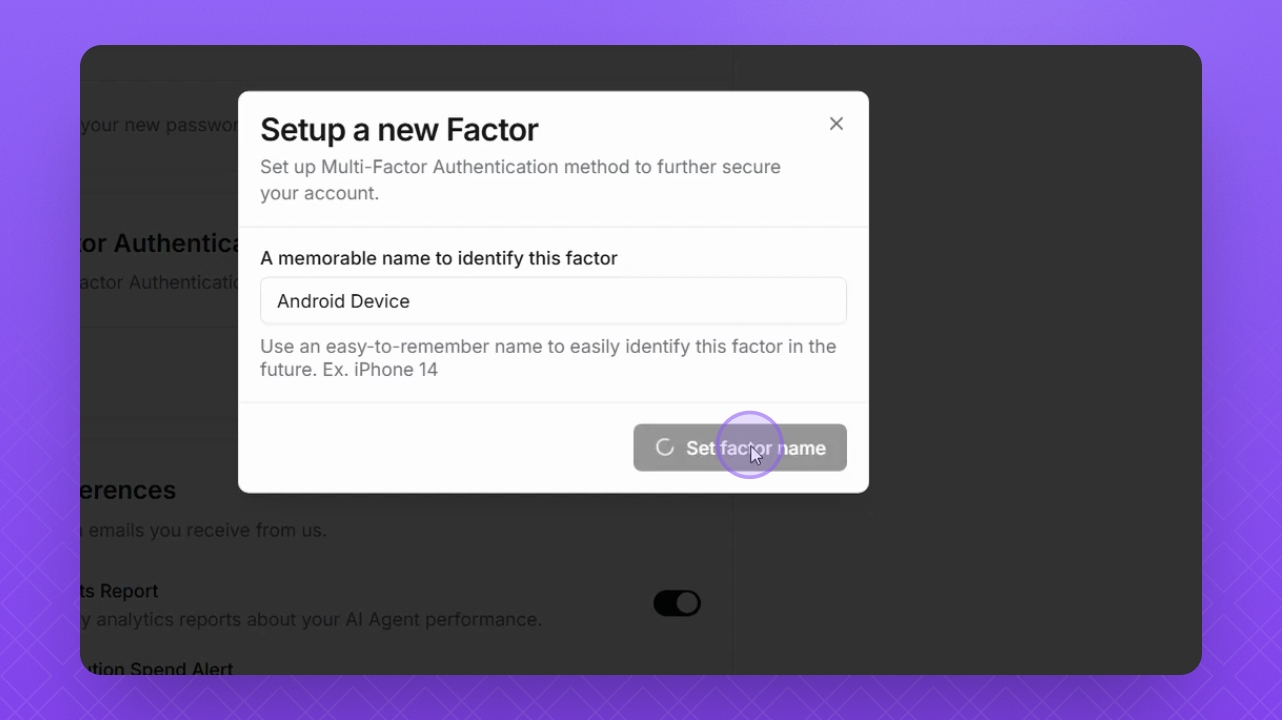
Enter a name for your device, then select Set Factor Name.
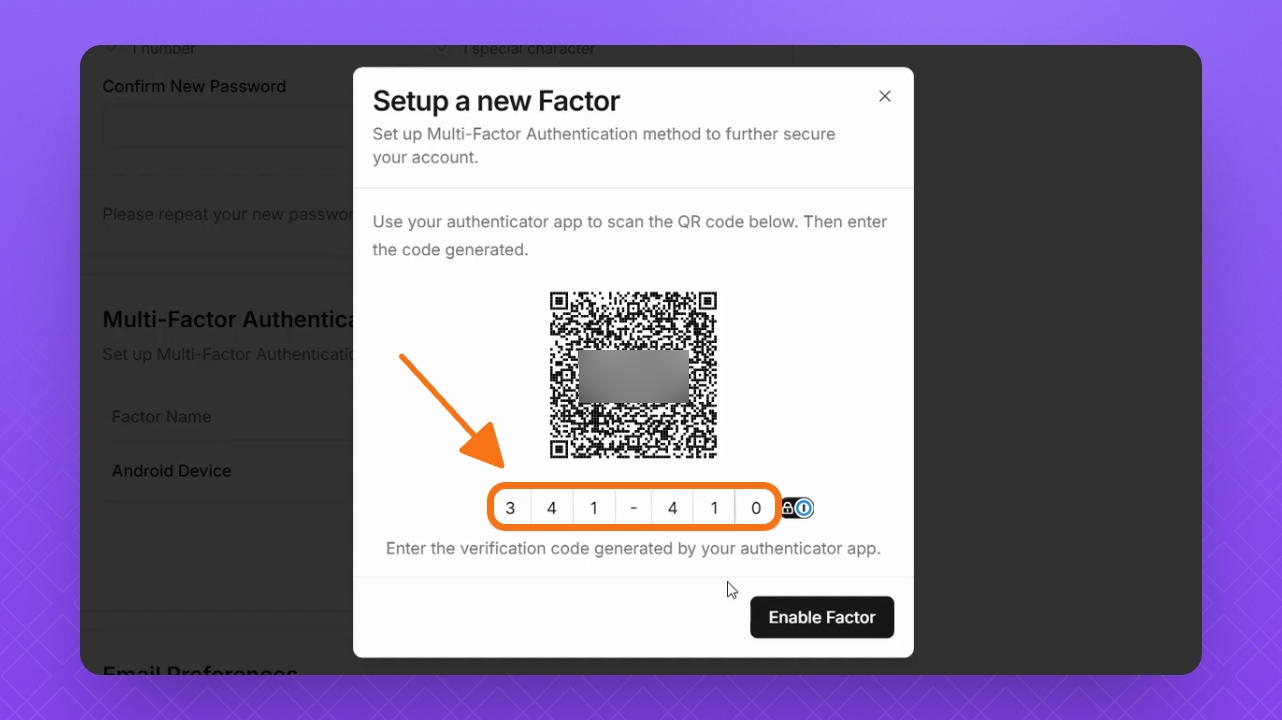
Step 4: Scan QR Code
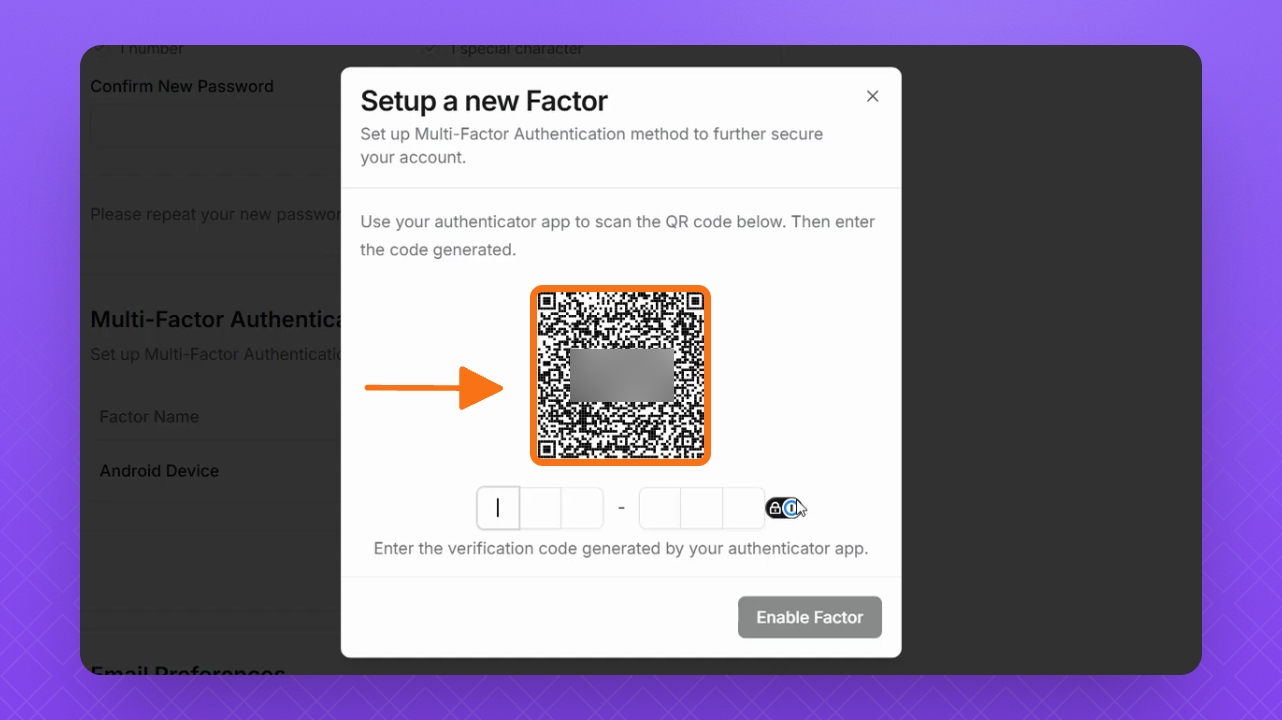
Scan the QR code with your Authenticator app.
Step 5: Enter Authentication Code
Once scanned, enter your authentication code.
Step 6: Enable Factor
After entering your code, click Enable Factor now.
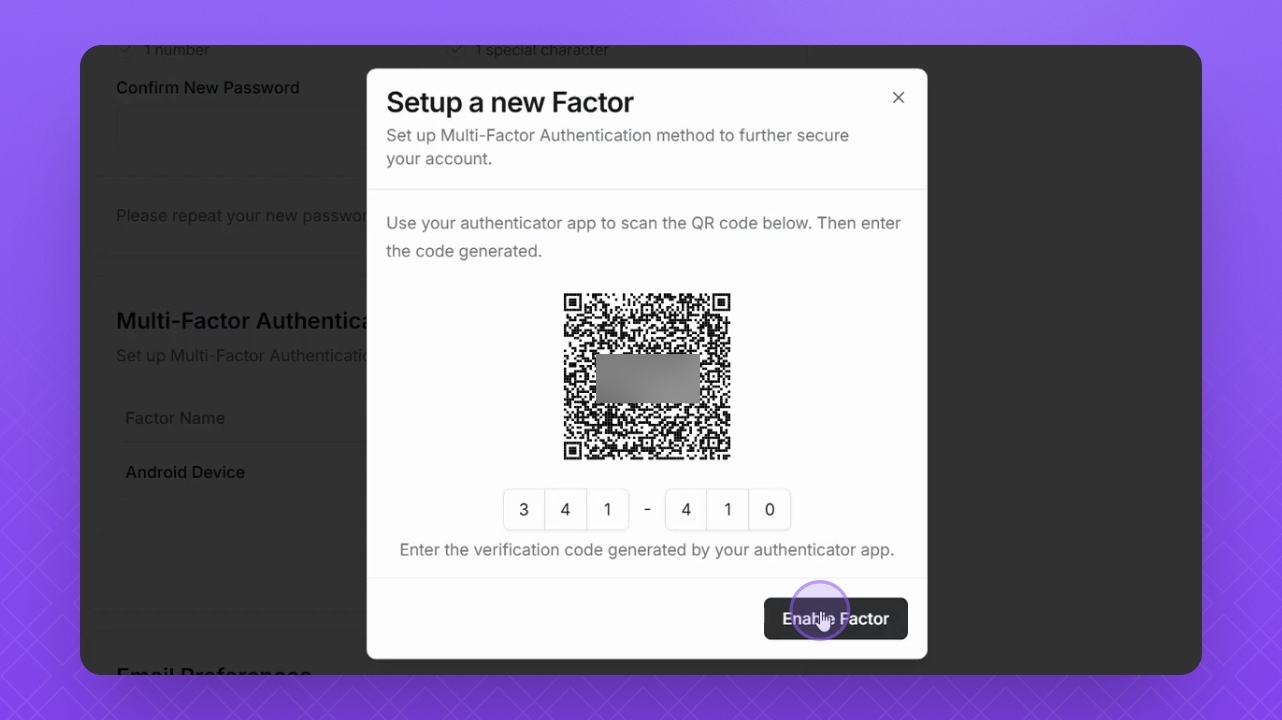
Your Helply profile is now secured with Multi Factor Authentication.
FAQ
What authenticator application can I use?
You can use any authenticator app on your mobile device, whichever you prefer. Some examples include:
Google Authenticator
Microsoft Authenticator
Authy
It's asking me for a code and I can't log in?
If you receive a login code error and are unable to access your authenticator application for MFA, please reach out to our support team at support@helply.com for further assistance.