

To use a new external API, go to the Settings → API and check the external API key section.
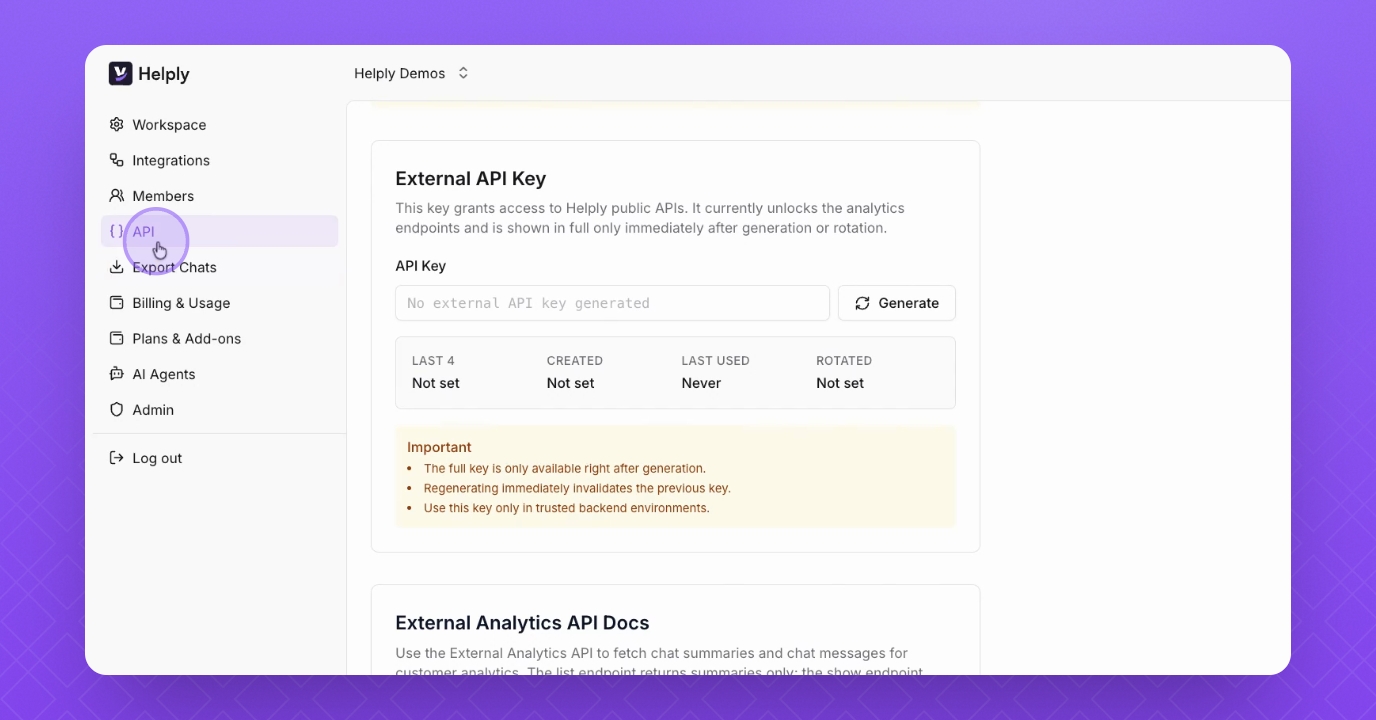
Step 1: Generate API Key
Over here you will have the Generate button which will generate the new API key.
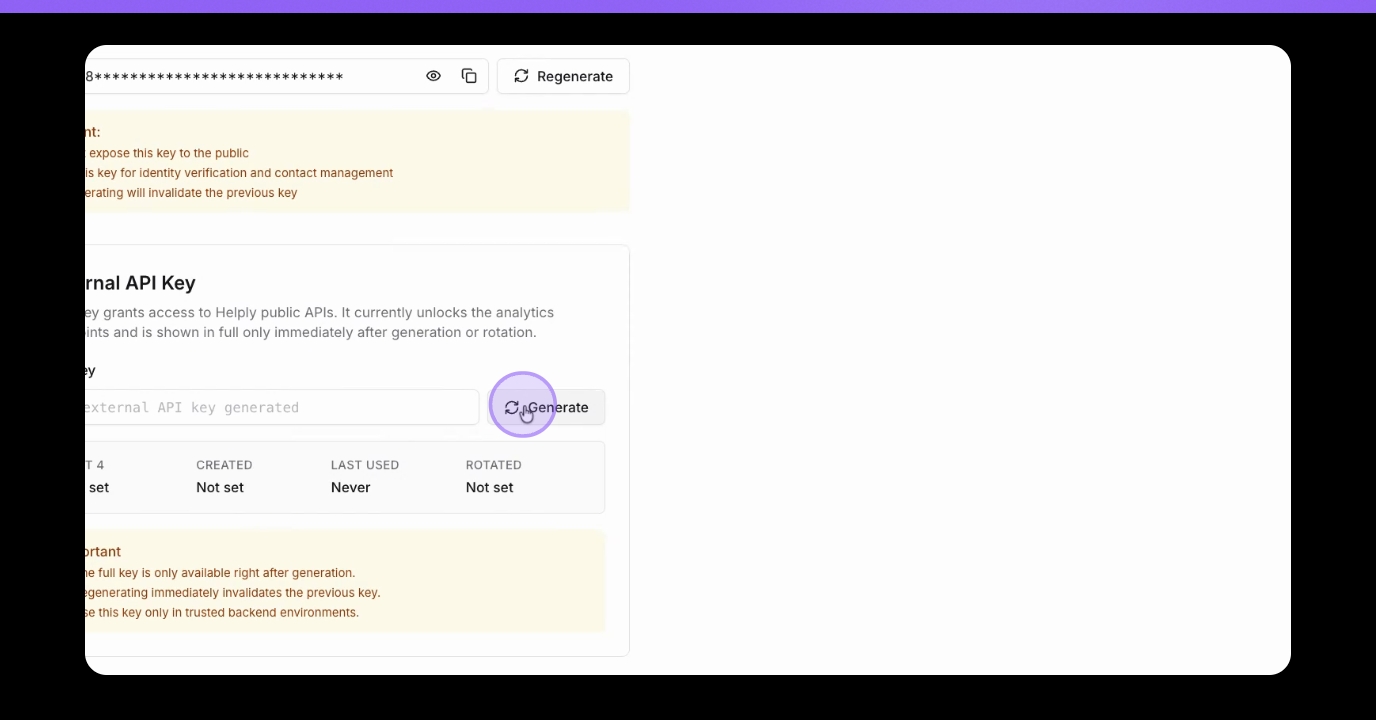
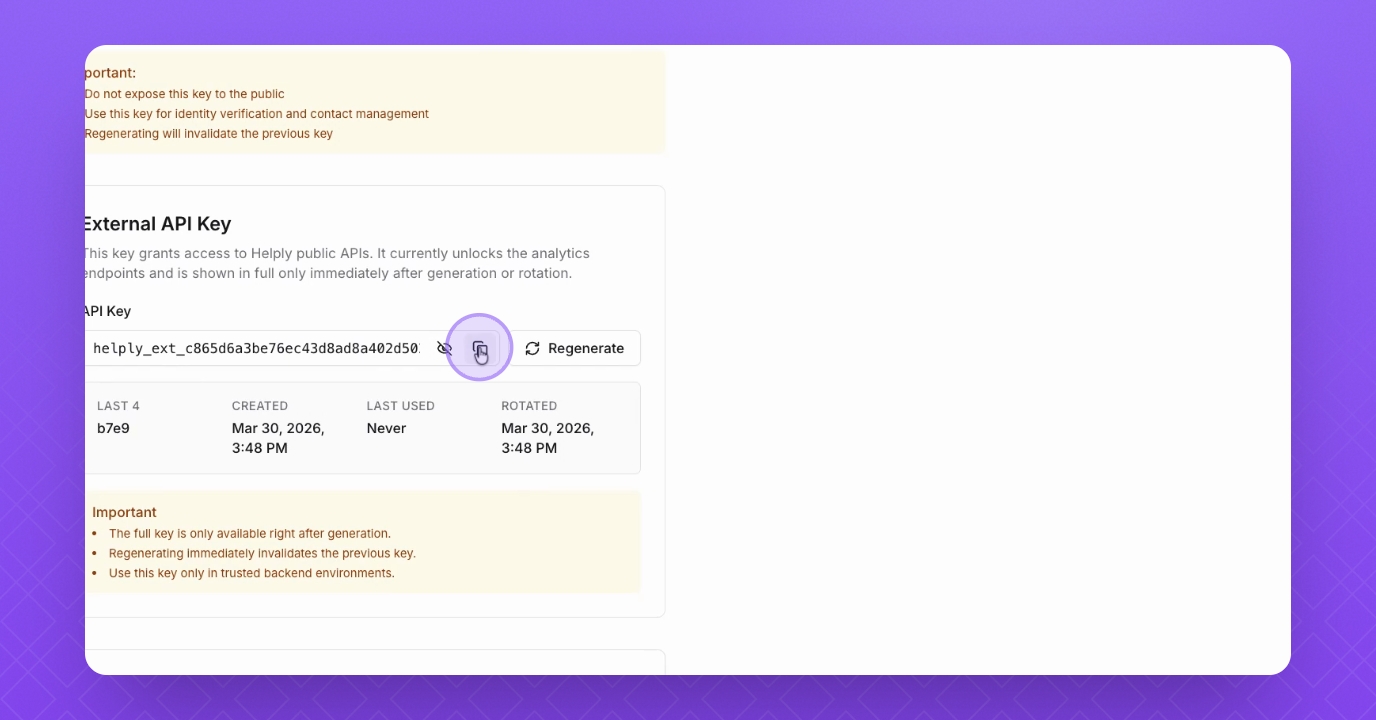
Step 2: Copy API Key
You will see it only once, so it's important that you copy it.
Currently available endpoints
GET /api/public/v1/agents/:agent_id/chats
Returns chat summaries with cursor pagination.
Query parameters: limit, cursor, from, to, state, order
Default limit: 50 (maximum: 100)
Default time window: last 30 days when no range is provided
Maximum time window: 183 days
State filter accepts a single value: pending, resolved, or escalated
GET /api/public/v1/agents/:agent_id/chats/:chat_id
Returns one chat with its public message fields.
The route uses the existing chatbot UUID as: agent_id
The route uses the existing conversation UUID as: chat_id
Message fields exposed: id, created_at, sender, type, text, escalated.
For the OpenApi endpoint, visit: https://app.helply.com/api/public/v1/openapi.json
FAQ
What is the External API used for?
The External API allows you to access your Helply conversation data. You can fetch chats and messages for a specific agent to build custom reports, dashboards, or internal data pipelines outside of Helply.
Which API endpoints are available in Helply?
Currently, the Helply API v1 includes:
GET /api/public/v1/agents/:agent_id/chats— retrieves a list of chatsGET /api/public/v1/agents/:agent_id/chats/:chat_id— retrieves a single chat and its messages
Is the API read-only?
Yes. In this release of the v1, the API only allows reading data. You cannot create, update, or delete anything.
How do I authenticate API requests?
Go to Settings → API in Helply:
Click Generate under the External API Key section
Use the generated key as a Bearer token in the
Authorizationheader
Important: API keys are only visible once. If lost, you must regenerate a new key, which will disable the old key.
Can I filter the chat API data?
Yes, you can filter chats by:
Chat state
Time range
What is the default time range for requests?
By default, the API returns the last 30 days of data.
What is the maximum time range I can request?
The API allows a maximum of 6 months (183 days) per request.
Does the API support pagination?
Yes. Responses are cursor-paginated to help you navigate large datasets efficiently.
What is the rate limit?
The API allows 60 requests per 60 seconds per API key. If you exceed this limit, your requests will be temporarily blocked until the rate resets.
Is there an OpenAPI spec?
Yes, an OpenAPI specification is provided for easier integration with your clients.
For OpenApi endpoint, visit: https://app.helply.com/api/public/v1/openapi.json