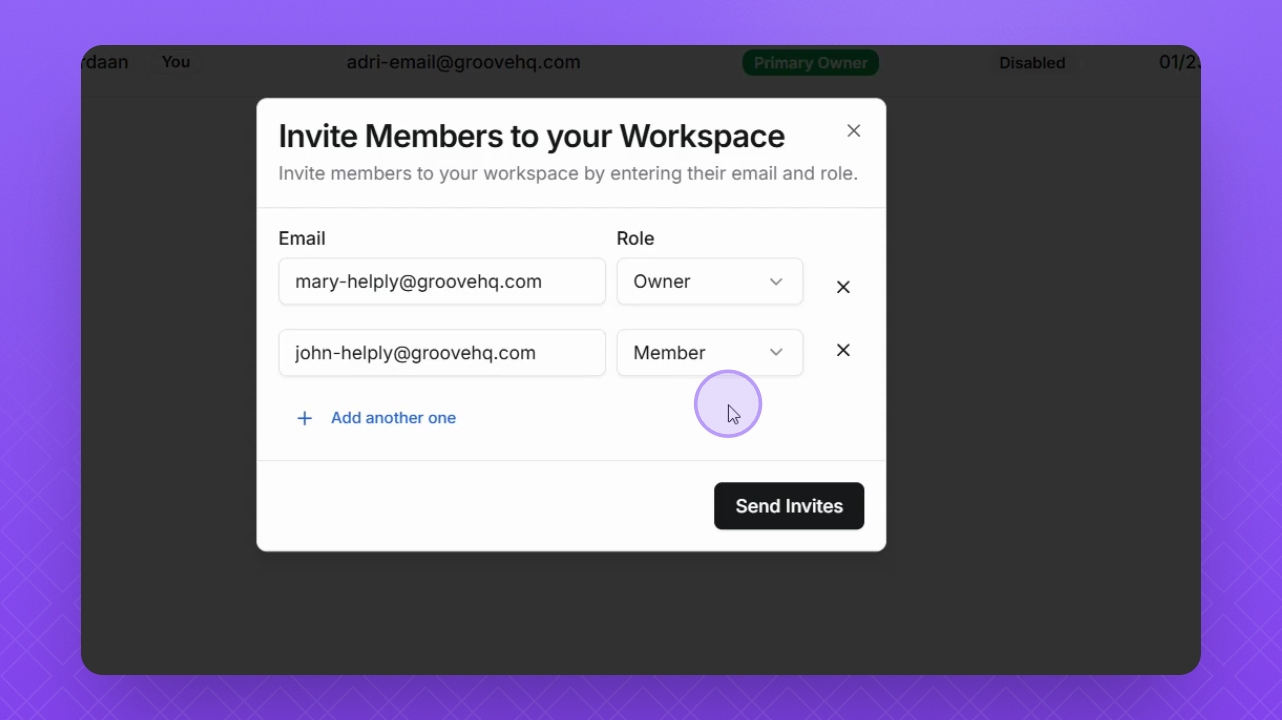

Let's do it together!
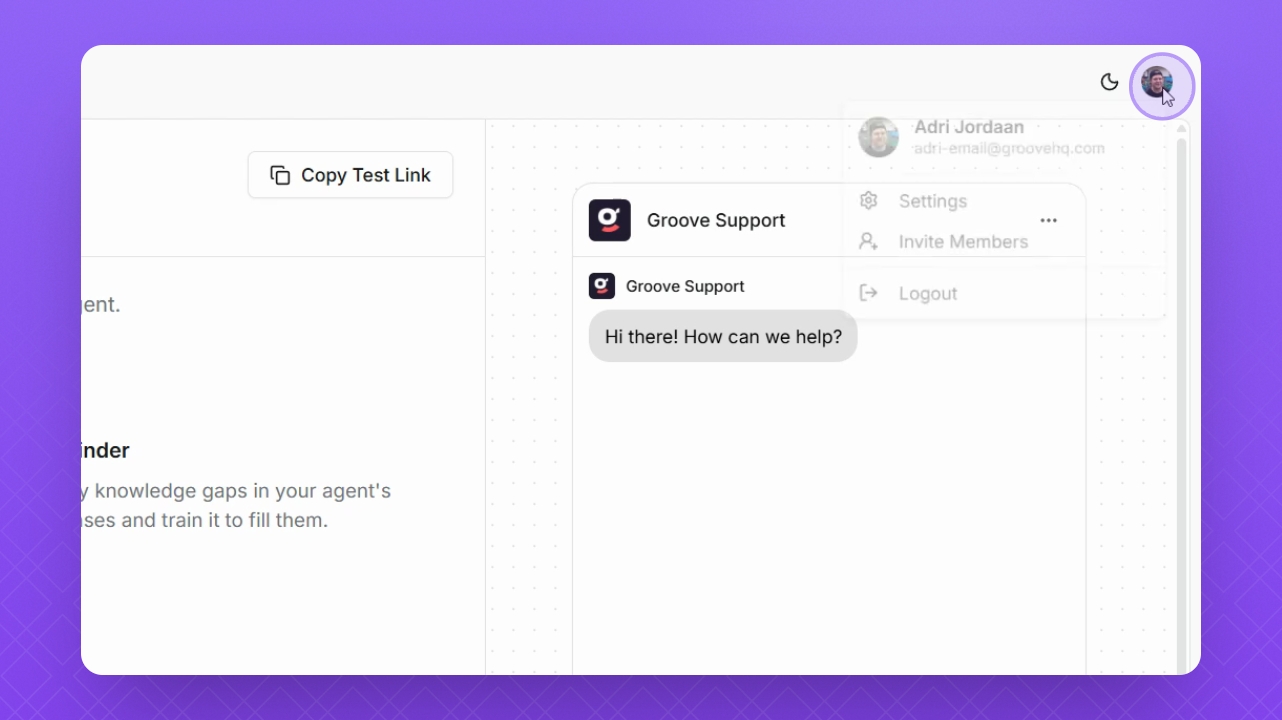
Step 1: Open Profile
Select your profile icon in the top right corner to access the account options.
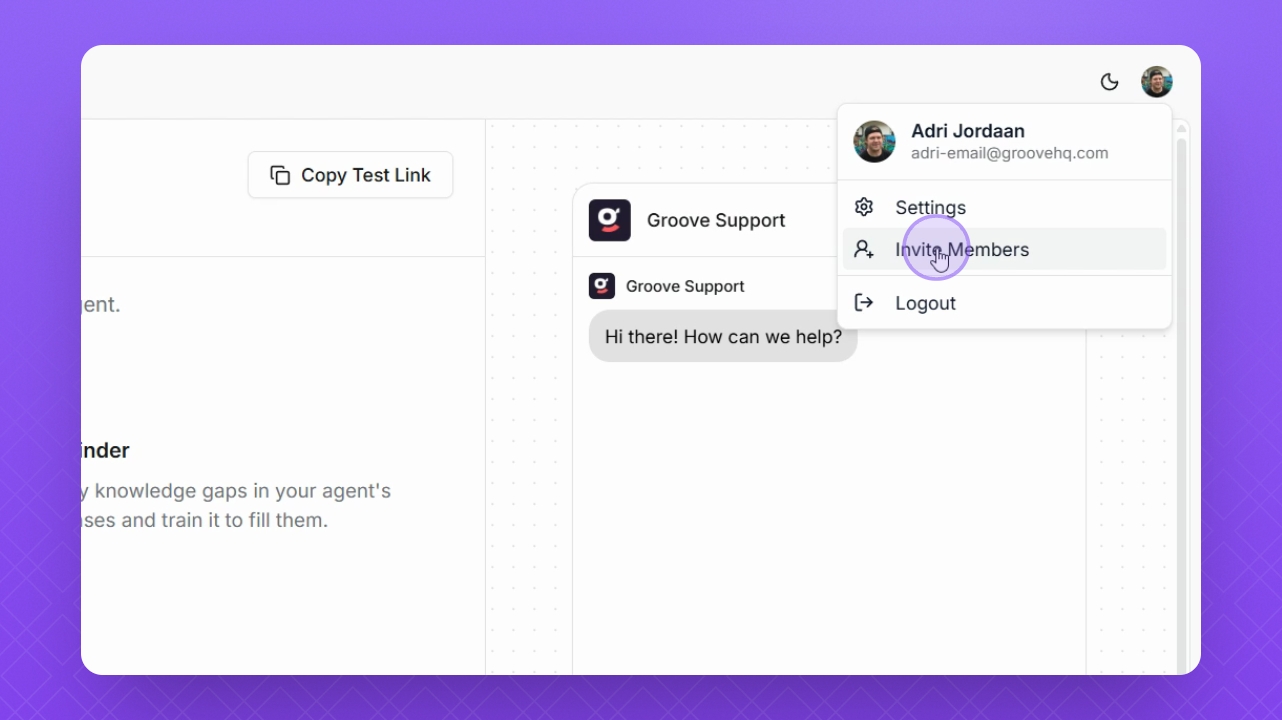
Step 2: Invite Members
Select Invite Members from the dropdown menu to initiate the invitation process.
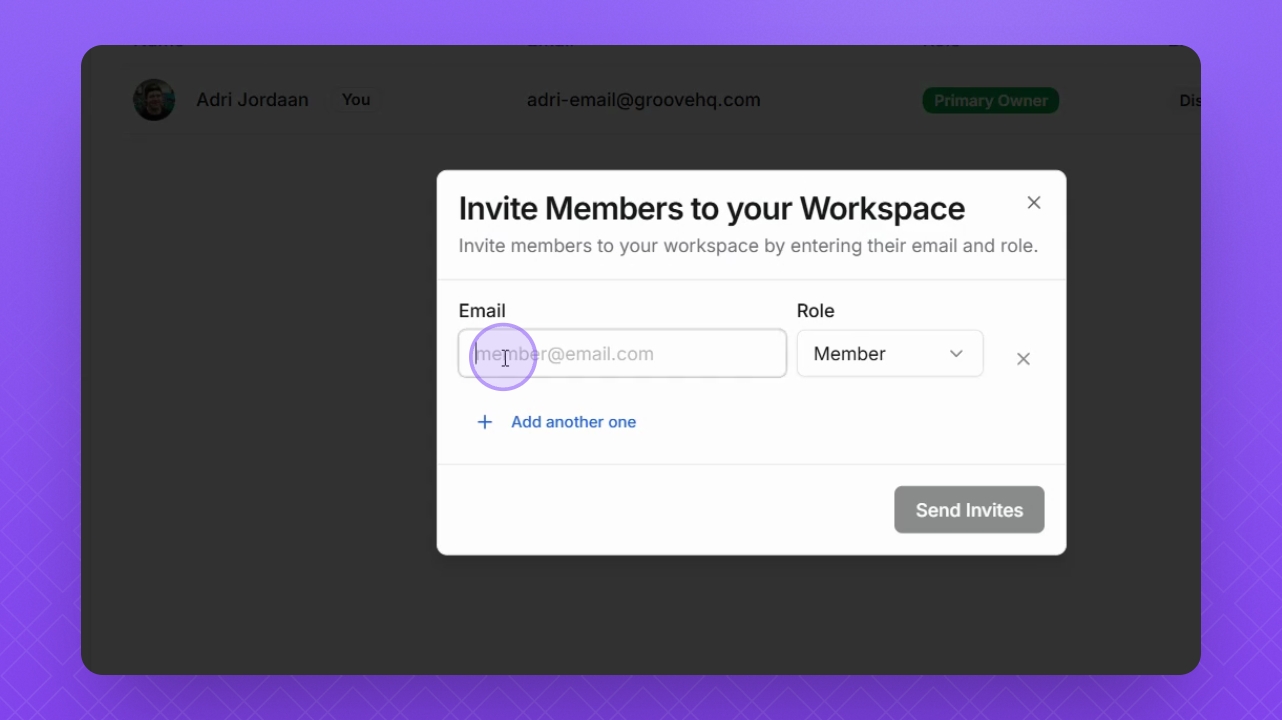
Step 3: Enter Email
Add the email address of the user you want to invite.
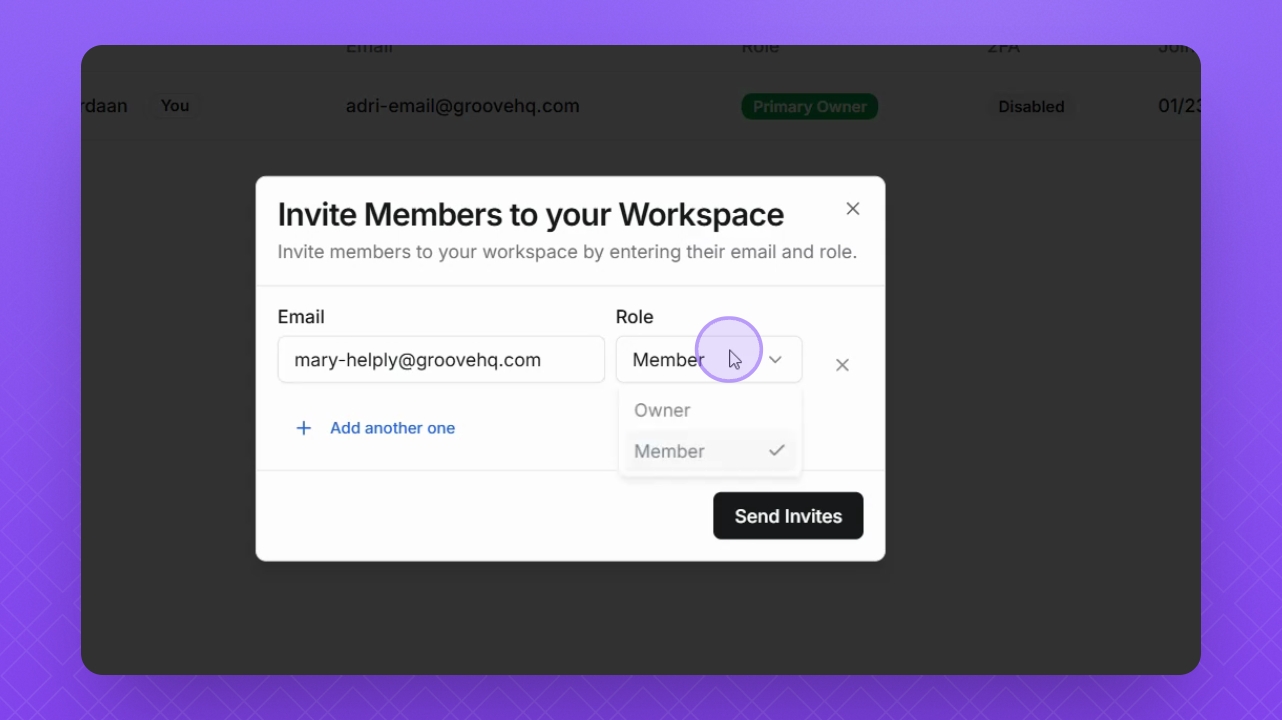
Step 4: Assign Role
Select the user's role from the dropdown menu to define their access level.
Step 5: Add More Members
If needed, click Add Another to invite more team members.
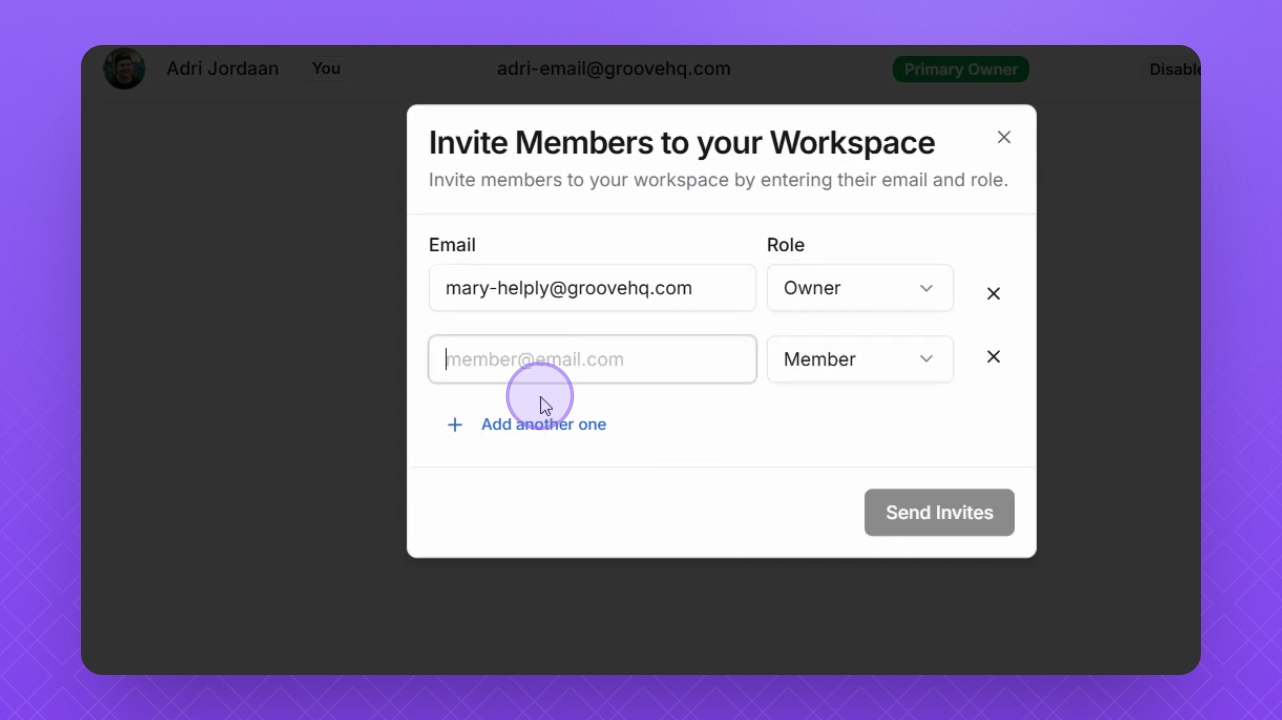
Step 6: Send Invitation
Once all email addresses are added, click Send Invite to complete the process.